A cash sale is paid the moment you make it — no due date, no chasing. Ring it up, take the money, hand over a receipt. Here's the counter flow from start to finish.
What You'll Need
Before you start:
- A Bluetooth thermal printer, paired and ready. See Set Up a Bluetooth Thermal Printer to set one up.
- Receipt printing is a Plus feature.
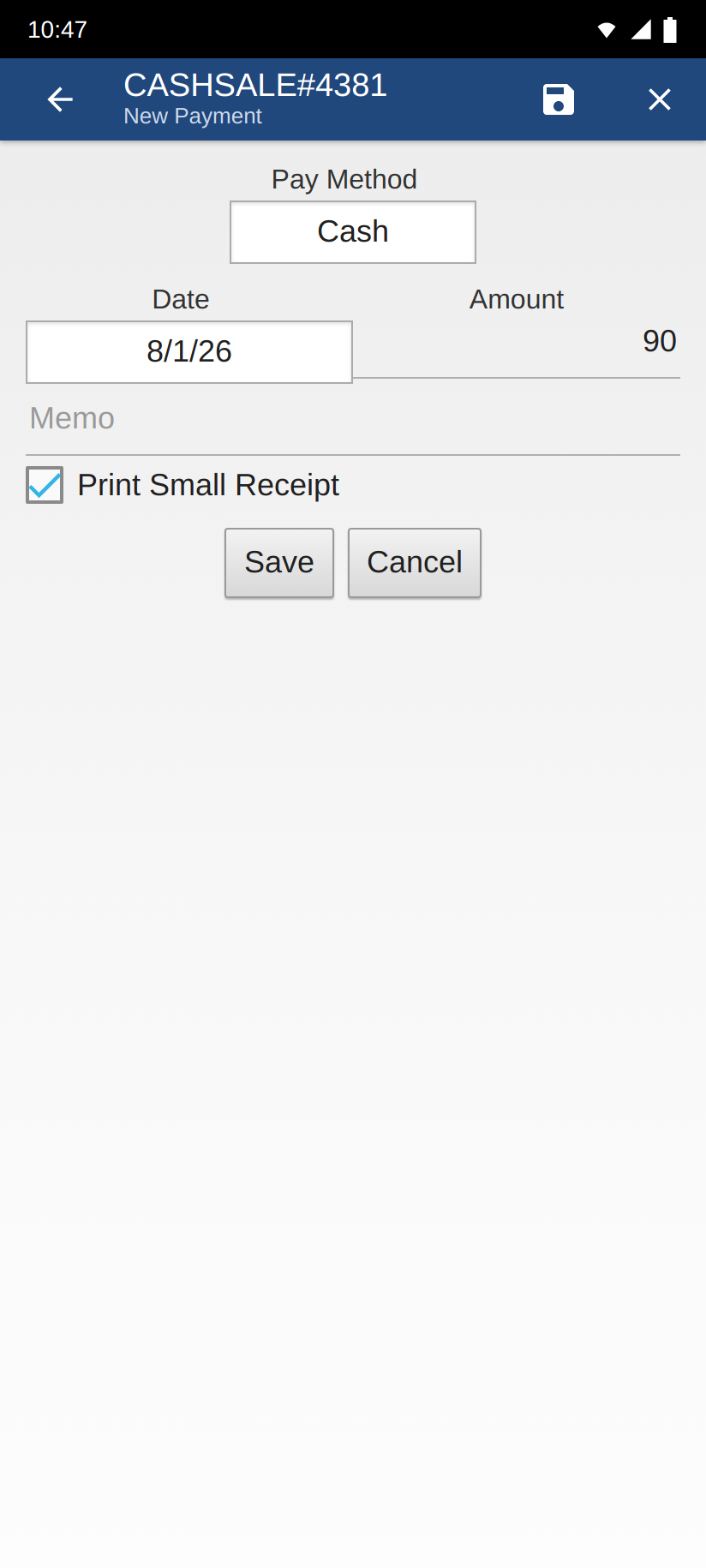
- A payment method whose Type is set to Cash — that's what makes the cash-received field appear. The New Payment screen opens with Cash already picked.
Steps
-
Start a cash sale. On the Home screen, tap the New tile, then New cash sale. Pick the customer (or leave it blank for a walk-in).
-
Tap the Save icon — the floppy disk in the action bar. The cash sale opens with its tabs, and the bottom bar appears.
-
Add the items. Open the Items tab, tap Add Item, and add what the customer is buying. The total updates as you go.
-
Tap Payments in the bottom bar, then tap Add Payment — the New Payment screen opens.
-
Check the payment and save. Pay Method already reads Cash and Amount is pre-filled with what's due. With a printer set up, Print Small Receipt is already ticked. Tap Save, and the Cash & receipt screen opens.
-
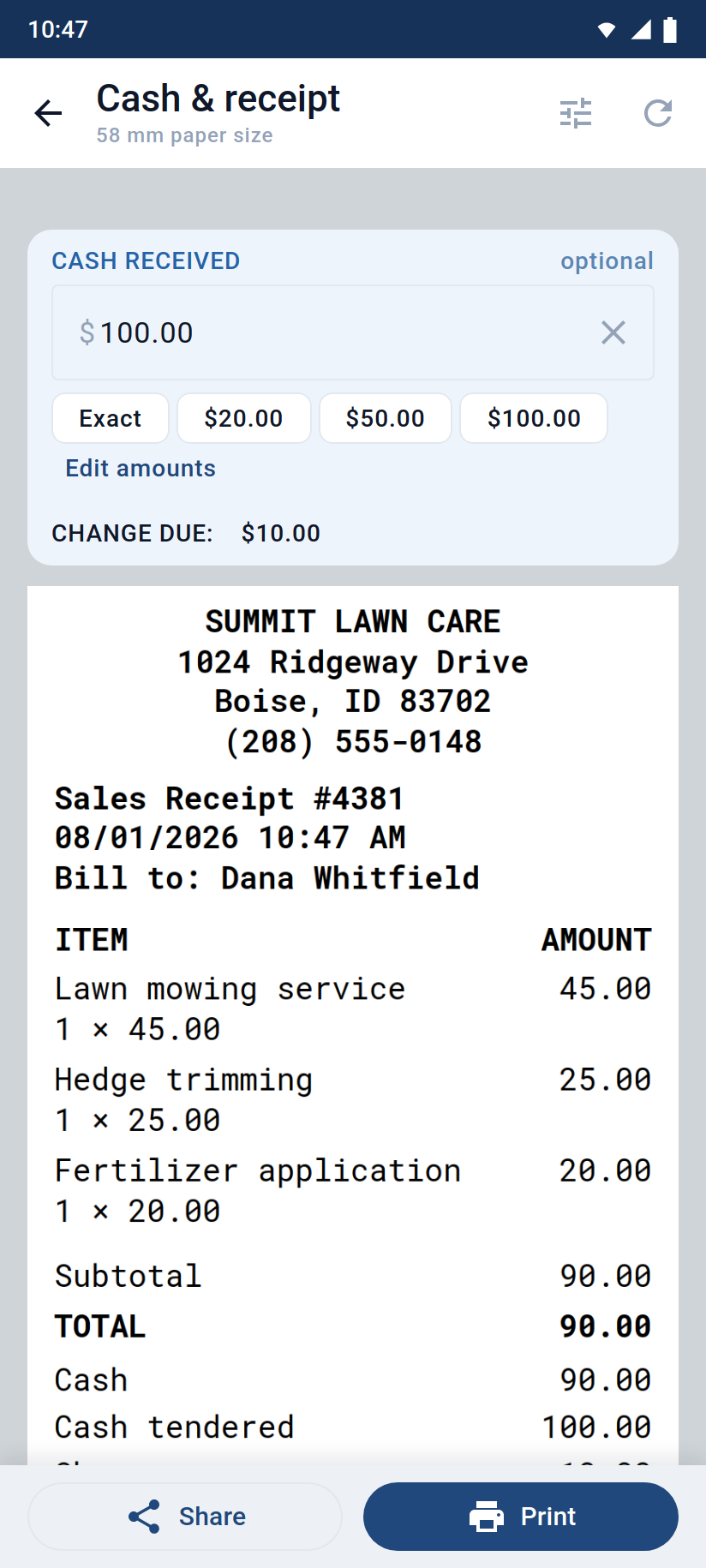
Enter the cash received. Under CASH RECEIVED, type what the customer handed you — or tap a quick-cash chip (Exact or a note amount) to fill it fast.
-
Read the change. A line shows CHANGE DUE: with the amount to hand back — or Exact — no change. If it reads SHORT BY:, they haven't given enough yet.
-
Tap Print. The receipt prints with the sale, the Cash tendered, and the Change lines. Done — hand it over.
Good to Know
- Reprint anytime. Open the cash sale, tap Send in the bottom bar, and tap Print receipt. It reprints the same receipt with the original cash and change — it won't ask again.
- The cash field is optional. Skip it and the receipt still prints; you just won't get the Cash tendered and Change lines.
- The preview catches up on demand. The amount you type reaches the paper when you tap Print — tap the refresh icon in the top bar first if you want to see the Cash tendered and Change lines in the preview.
- Adjust the quick-cash chips. Tap Edit amounts on the Cash & receipt screen to set the note denominations you handle most.
- Change the wording (Cash tendered, Change) or the receipt layout — see Customize Your Thermal Receipt.
- No printer? The checkbox reads Share Small Receipt instead, and it starts unticked. Tick it and you still get the Cash & receipt screen — with Share in place of a printout, so you can text or email the slip.
Still stuck? Contact Support for help.